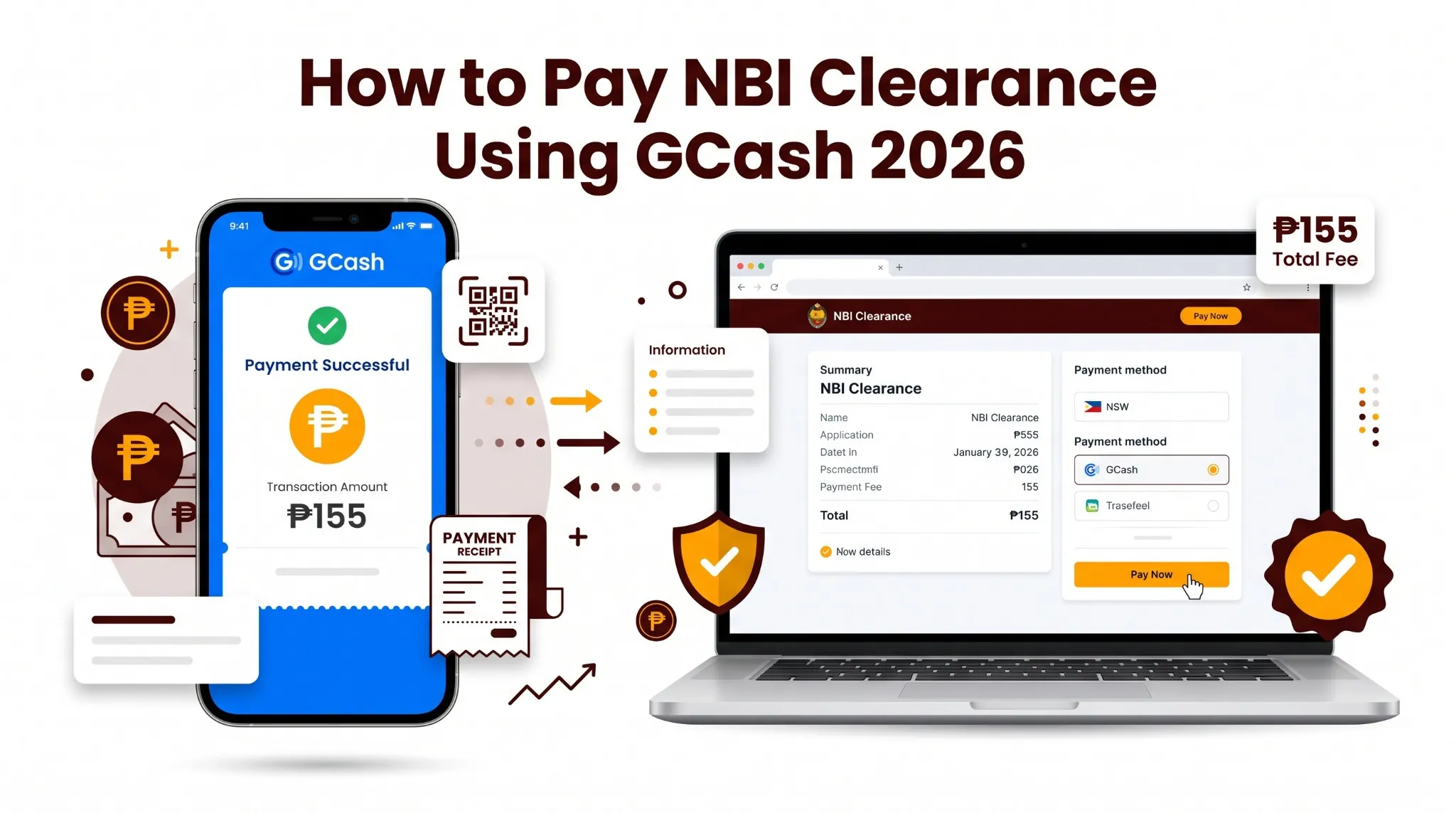
How to Pay NBI Clearance Using GCash 2026
GCash is the most popular way to pay for NBI Clearance in the Philippines and for good reason. You can complete the payment from your phone in under two minutes without going to a payment center or bank. But a lot of applicants run into the same problems: wrong reference number, insufficient balance, or payment showing as pending. This guide covers the exact steps of how to pay NBI clearance using GCash, plus how to fix the most common issues.
Pre-load at least ₱160 in GCash → Book NBI appointment first → Pay via Pay Bills or NBI portal QR → Save your GCash receipt immediately. Total cost is ₱155.
| Detail | Information |
|---|---|
| GCash Payment Fee | ₱130 base + ₱25 service = ₱155 total |
| Quick Renewal with Delivery | ₱155 + ₱200 (Metro Manila) = ₱355 |
| GCash Balance Needed | At least ₱160 (buffer for exact amount) |
| Payment Methods | GCash App, NBI Portal QR, Pay Bills |
| Official NBI Site | clearance.nbi.gov.ph |
Last updated: July 2026 | This is an unofficial guide. Always verify at clearance.nbi.gov.ph.
Before You Pay — What to Prepare
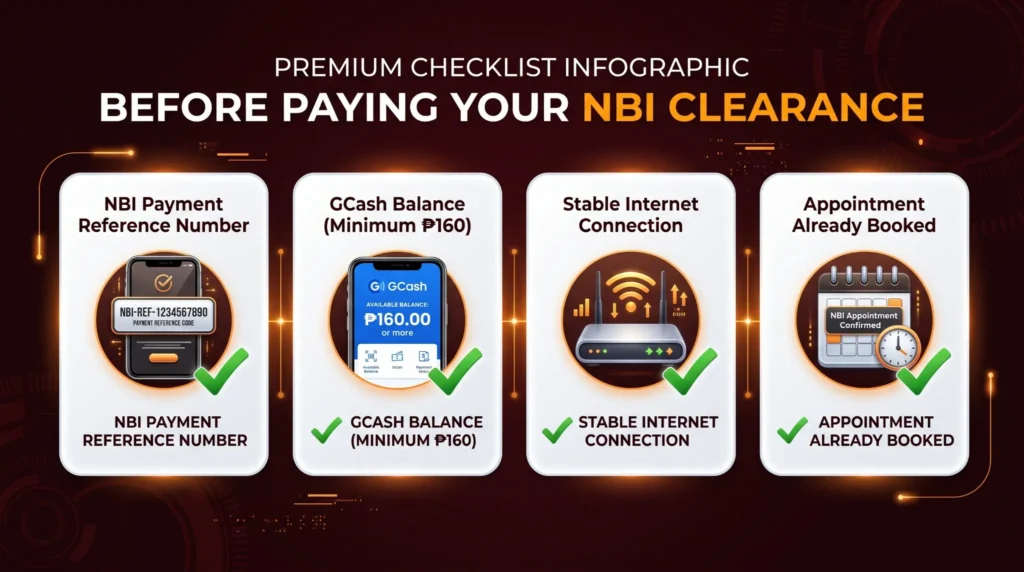
Do not open GCash until these three things are ready. Missing any one of them causes a failed or unconfirmed payment.
1. NBI Payment Reference Number
This is generated after you complete your appointment booking at clearance.nbi.gov.ph. Without this number, GCash cannot link your payment to your application. Write it down or screenshot it before leaving the NBI portal.
2. GCash Balance of at Least ₱160
The total NBI Clearance fee via GCash is ₱155 — ₱130 base plus ₱25 e-payment service charge. Load at least ₱160 to have a small buffer. A failed payment due to insufficient balance still deducts from your booking time.
3. Stable Internet Connection
A weak connection mid-payment can cause your transaction to appear as pending even when money was deducted. Use WiFi or a strong mobile data signal.
Method 1 — Pay via GCash App (Pay Bills)
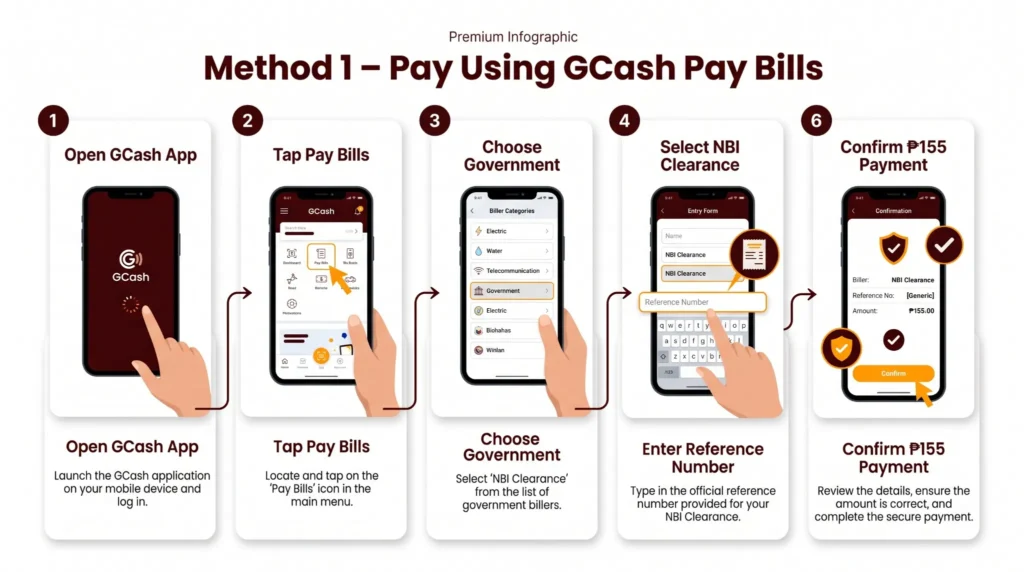
This is the most reliable method because you enter your reference number directly. Most applicants use this.
Method 2 — Pay via NBI Portal (GCash QR Code)
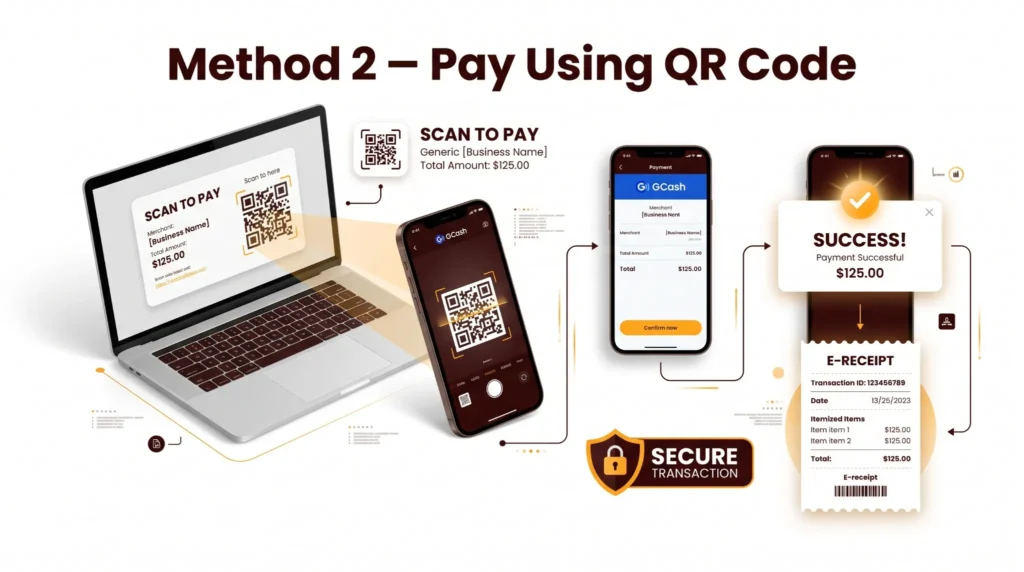
This method works directly inside the NBI website during your appointment booking. The portal generates a QR code that you scan with GCash.
Method 3 — Pay via GCash QR at a Partner Outlet
This method is for applicants who want to pay at a physical location using GCash. Some applicants use this when they have issues with the in-app Pay Bills option.
What Amount to Enter in GCash
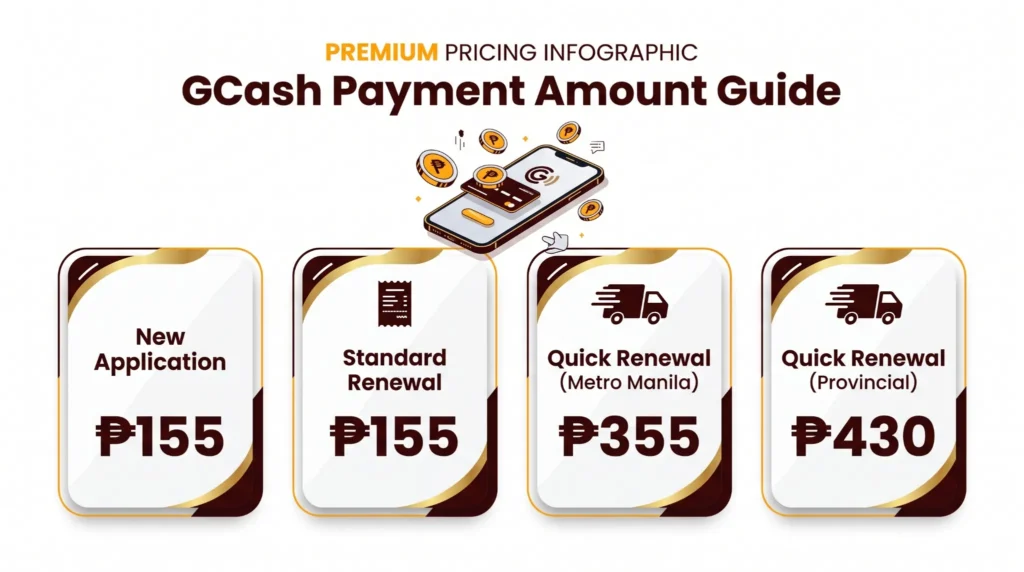
This confuses many applicants. Use this table:
| Application Type | Amount to Pay in GCash |
|---|---|
| New NBI Clearance | ₱155 |
| Standard Renewal (branch pickup) | ₱155 |
| Quick Renewal — Metro Manila delivery | ₱355 |
| Quick Renewal — Provincial delivery | ₱430 |
| First-Time Job Seeker | ₱0 (free — do not use GCash) |
How to Check If GCash Payment Was Successful
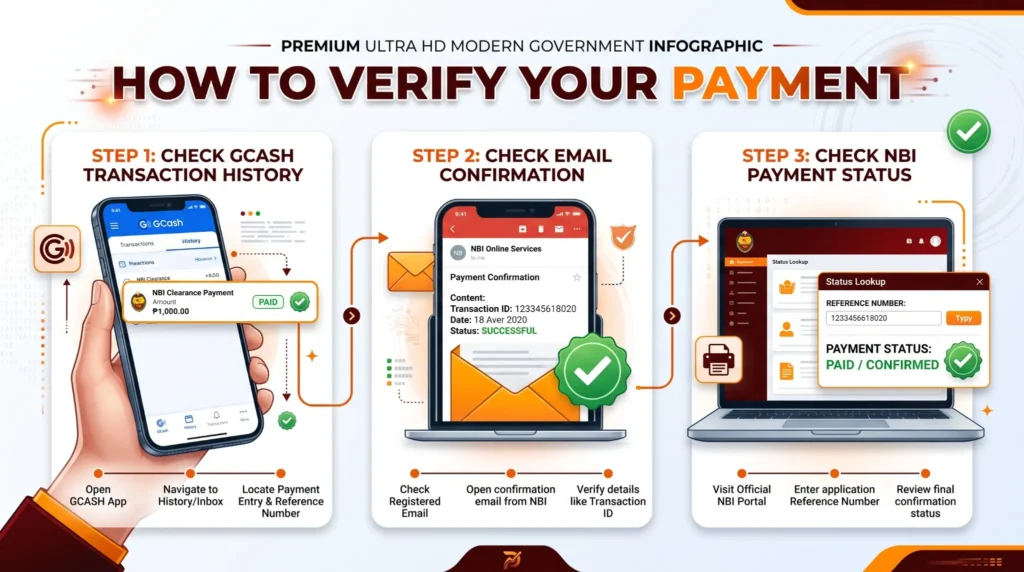
After paying, confirm through these three steps.
Step 1 — Check GCash Transaction History
Open GCash → tap your profile icon → tap “Transaction History.” Your NBI payment should appear with status “Successful.”
Step 2 — Check Your Email
GCash sends a payment confirmation to your registered email. Check your inbox and spam folder.
Step 3 — Check Your NBI Account
Log in to clearance.nbi.gov.ph and open your application. The payment status should show as “Paid” or “Confirmed.” If it still shows “Pending” after 30 minutes, do not pay again — see the troubleshooting section below.
GCash NBI Payment Problems How to Fix Them
| Problem | Why It Happens | What to Do |
|---|---|---|
| Payment pending in NBI portal | System sync delay between GCash and NBI | Wait 30–60 minutes, then refresh. Do not pay again. |
| Wrong reference number entered | Typo during payment | Contact NBI support with your GCash receipt and correct reference number. |
| GCash deducted but NBI shows unpaid | Connection dropped mid-transaction | Screenshot GCash receipt, wait 24 hours, then contact NBI at nbiclearance@nbi.gov.ph. |
| GCash payment failed | Insufficient balance or app glitch | Check balance, reload, try again. Make sure you have at least ₱160. |
| QR code expired | Took too long to scan | Go back to the payment page in the NBI portal and generate a new QR code. |
| Paid wrong amount | Entered ₱130 instead of ₱155 | Contact NBI support — do not make a second payment until confirmed. |
| Duplicate payment accidentally made | Panic-paid after seeing pending status | Contact NBI support with both GCash receipts for refund assistance. |
How to Load GCash Before Paying
If your GCash wallet does not have enough balance, here are the fastest ways to load:
Load at least ₱160 the extra ₱5 ensures a failed transaction due to exact amount mismatch does not happen.
Other NBI Clearance Payment Methods
GCash is not the only option. If you have trouble with GCash, these alternatives also work.
| Payment Method | Notes |
|---|---|
| Maya (PayMaya) | Same process as GCash — select from NBI portal payment options |
| 7-Eleven CLiQQ | Use CLiQQ kiosk in-store — enter reference number and pay cash |
| Bayad Center | Over-the-counter — bring reference number and cash |
| BDO / BPI / Metrobank / UnionBank | Online banking portal — select Bills Payment → Government → NBI |
| Palawan Express | Over-the-counter at Palawan branches |
| Cebuana Lhuillier | Over-the-counter with reference number |
| ECPay | Available at various partner locations |
| Credit / Debit Card | Via NBI portal payment page |
| Cash at NBI counter | ₱130 only — no service charge — pay on appointment day |
See our complete NBI Clearance Fee guide for full payment method breakdown.
Frequently Asked Questions
Final Words
Paying your NBI Clearance fee through GCash takes less than two minutes when your reference number and balance are ready. The most important steps are loading at least ₱160 before starting, entering the reference number correctly, and saving your GCash receipt immediately after payment. For the complete appointment booking process, read our NBI Online Appointment 2026 guide. For a full breakdown of all fees, visit our NBI Clearance Fee guide.